Software Overview
DFCine is developed by the DIGITFOLD team. It is a desktop production tool for local and remote AI creation. More than just a piece of software, it is an extensible local AI architecture system. DFCine can connect a wide range of AI models, API services, and even 3D software to support cross-platform, multimodal creative workflows.
Its design philosophy is “DIGITFOLD”: folding complex production processes into a manageable system while keeping the experience simple and efficient. This allows creators to stay focused on ideas instead of technical overhead. DFCine serves creators worldwide, with long-term updates and ongoing optimization for users with different skill levels and production needs.
Core Capabilities
Local execution
All AI generation and computation tasks can run directly on local machines without depending on the cloud, providing an efficient and secure creative environment.
Multi-task orchestration
Supports multiple tasks running together and connecting with each other, making it easy to build complex generation workflows such as image-to-prompt, prompt-to-image, and image-to-video pipelines.
Flexible extensibility
Its open architecture allows connections to any AI model, API service, or 3D production software. Users can define custom workflow nodes to build highly personalized creative pipelines.
Multi-compute concurrency
Supports controlling multiple GPUs to execute tasks and distribute local compute resources more effectively, making it suitable for companies and individual creators with local hardware capacity. (Feature in development)
Continuous optimization and iteration
DFCine uses a modular design and long-term optimization strategy to keep improving performance while supporting fast updates and feature expansion, helping creators stay at the front edge of technology.
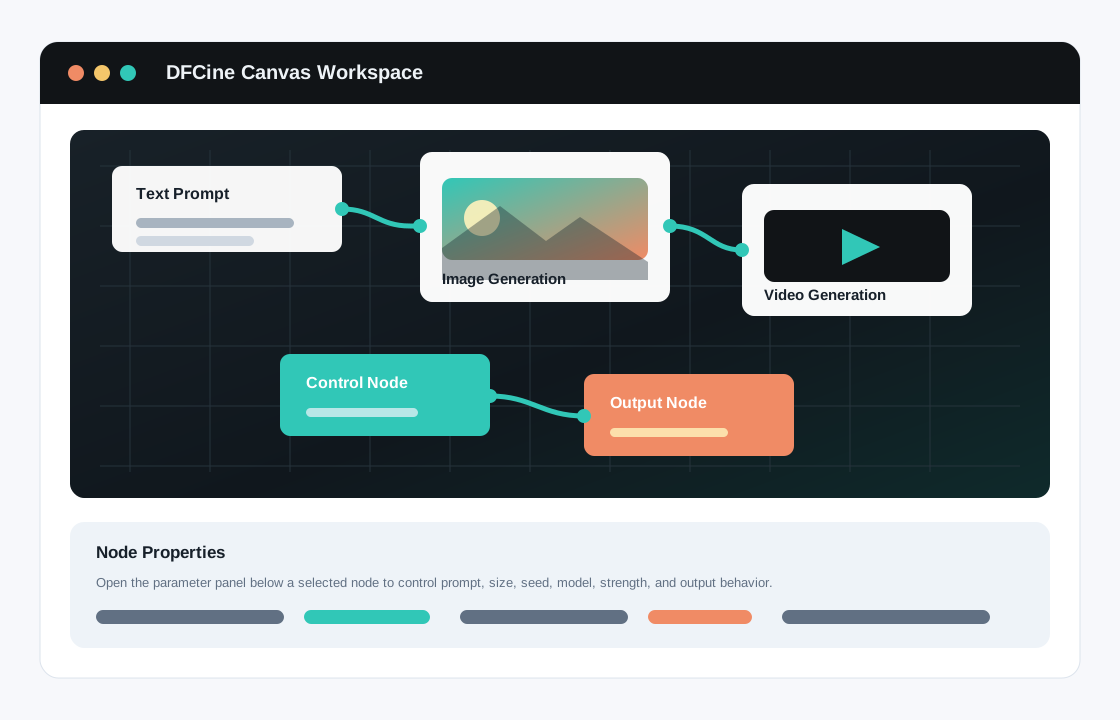
Workspace Overview Diagram
The diagram below shows the DFCine workspace interface and helps explain the overall layout of project management, workflow execution, and asset organization:
Workflow Integration Diagram
The diagram below shows how DFCine encapsulates a complex underlying node-based workflow on the left into a single workflow node on the canvas on the right, giving users a simpler operating experience while preserving powerful capabilities:
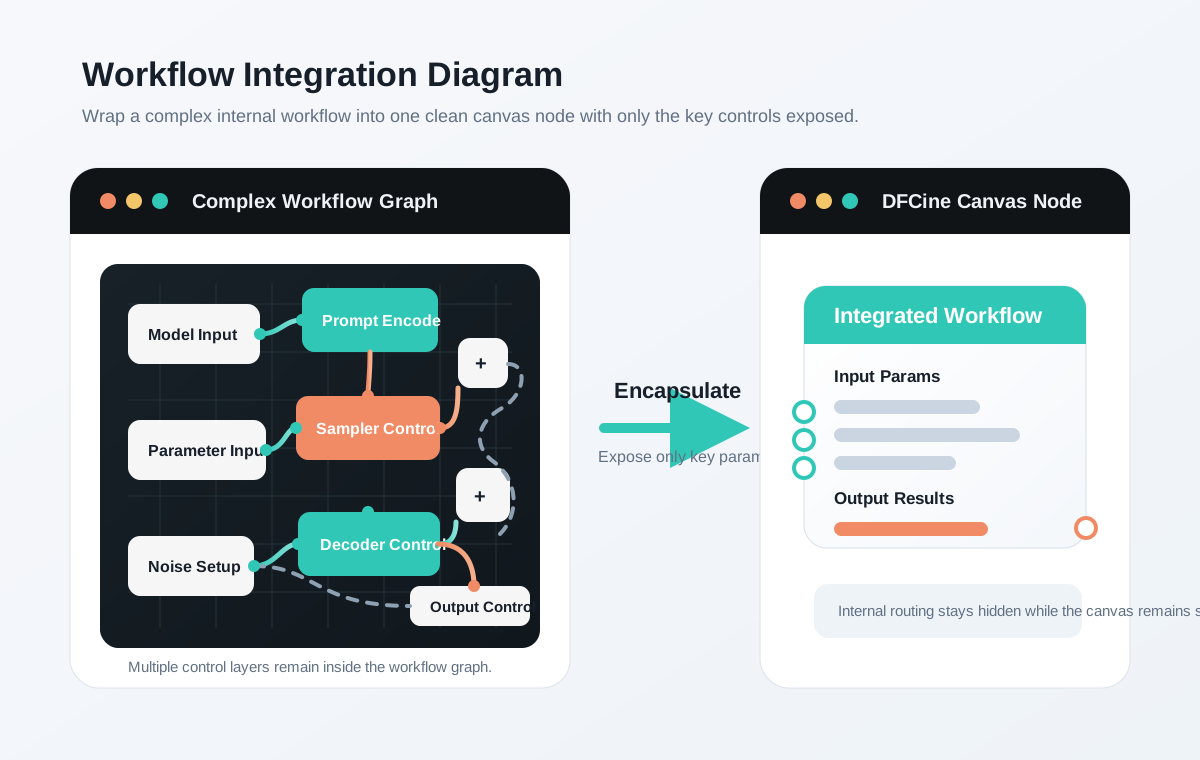
The complex workflow runs internally, while the canvas layer keeps only the essential input and output interfaces.
Multimodal Input Generation Diagram
The diagram below shows how DFCine can accept different types of data such as audio, visual content, and text at the same time, then connect them into a single generation node for multimodal collaborative generation:
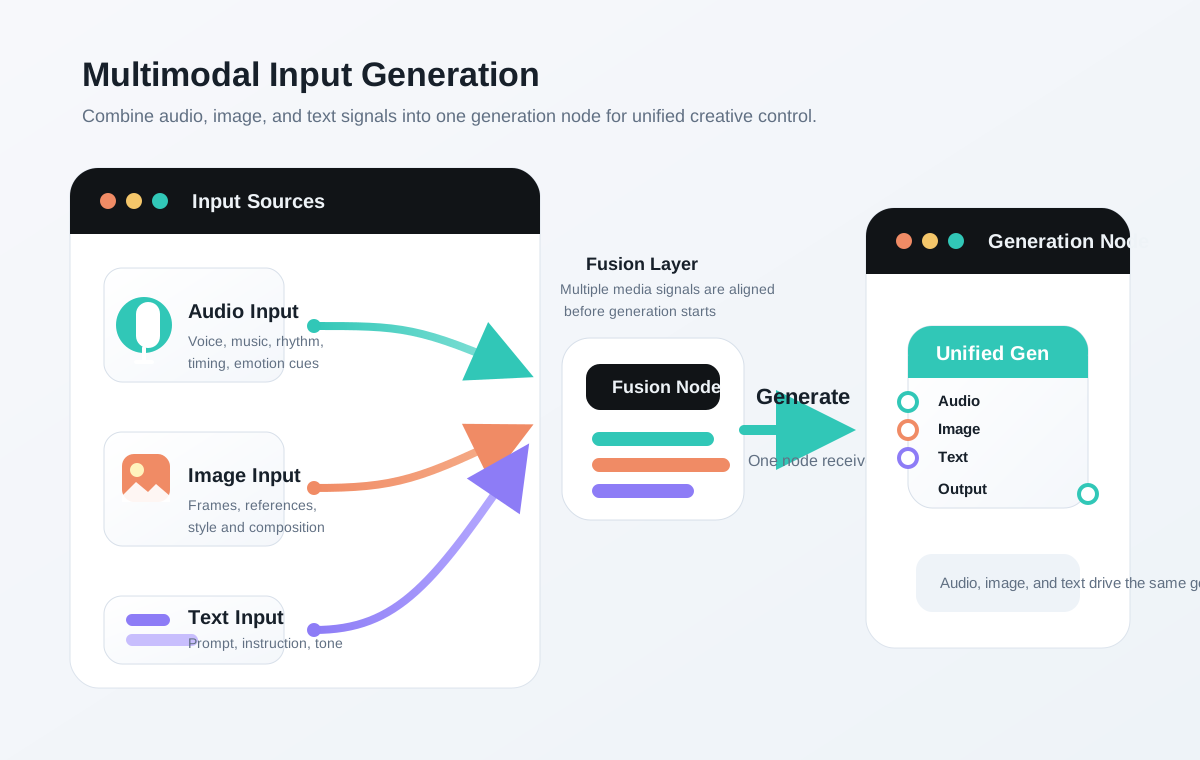
Audio, image, and text inputs can be fused within the same generation stage to create more complete creative control.