
Plugin Library and Inpaint
Click Plugin Library in the left toolbar. The library has two tabs: Built-in and External.
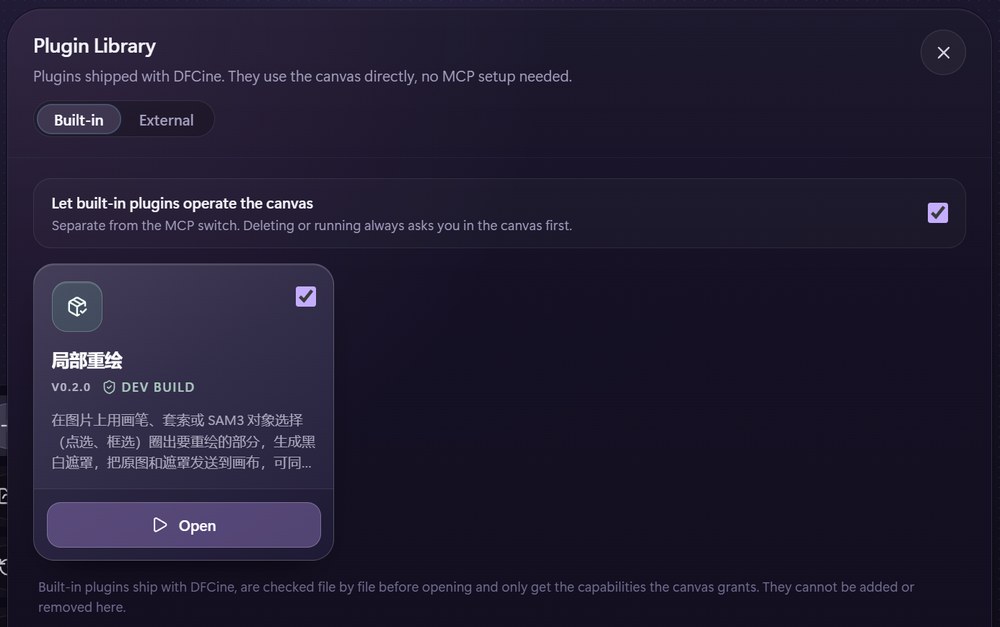
Screenshot from DFCine 0.3.2.
Built-in plugins
Built-in plugins ship with DFCine, are checked file by file before they open, and use the canvas directly with no MCP setup.
- Let built-in plugins operate the canvas: turn it off to stop built-in plugins from changing the canvas. It is separate from the MCP switch.
- When a built-in plugin asks to delete nodes, run a workflow, or make another change to your work, the canvas asks you to confirm every time and shows the plugin's name.
- The checkbox at the top right of a plugin card enables or disables it. Click Open to start the plugin.
External plugins
The External tab is the former external program launcher and works as before: click Add Plugin, choose the program to start, and open it from here later.
Inpaint
Inpaint lets you mark the area of an image to repaint, creates a black-and-white mask, and hands both to an inpaint workflow on the canvas.
- Select an image node on the canvas, then open Inpaint from the plugin library. You can also open a local image inside the plugin.
- Mark the area to repaint with either method:
- Free selection: brush, eraser, and lasso.
- Object selection: click or drag a box around an object and the SAM3 model finds its outline. You can keep adding to or subtracting from the selection.
- Send the result. The original image and the mask arrive on the canvas as two upload nodes in a group. If you check the option to also create an inpaint node (同时建重绘节点), DFCine creates the chosen inpaint workflow node and connects the image and the mask to it.
The view works like common image editors: scroll to zoom at the pointer, hold Space or the middle mouse button to pan, press 0 to fit and 1 for 100%, and use [ ] or Alt + drag to resize the brush. Hover over a tool to see its description and shortcut.
Object selection needs compute
Object selection runs a SAM3 workflow on the current compute target (local ComfyUI or cloud compute), which needs the SAM3 nodes and model installed. On cloud compute, a dialog shows the estimated cost before the first run and waits for your confirmation.